 Takto
Takto
Takto · A rail journal for iPhone
Every journey. Worth keeping.
Takto keeps your train journeys in one place. Import them from DB Navigator or a DB ticket PDF, or add them by hand. Then see where you’ve been on a railway map and watch the kilometres add up.
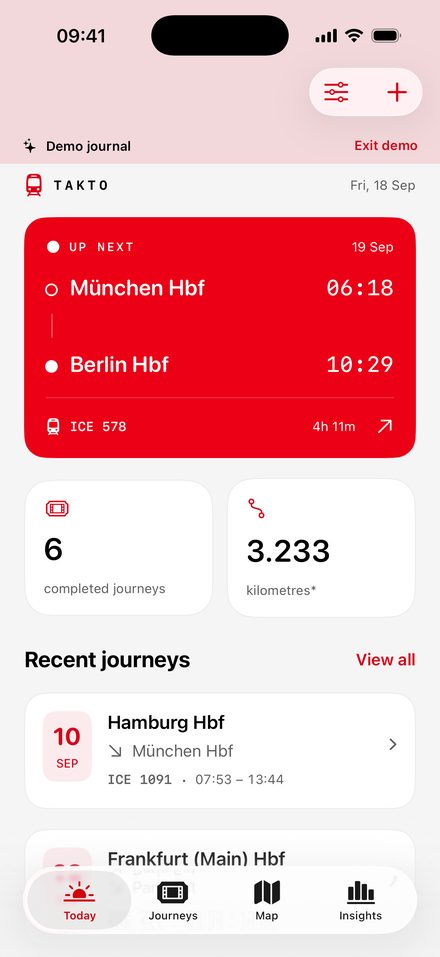
Inside the app
One journal. Three ways to look at it.
Screenshots show Takto’s built-in demo journal.
-
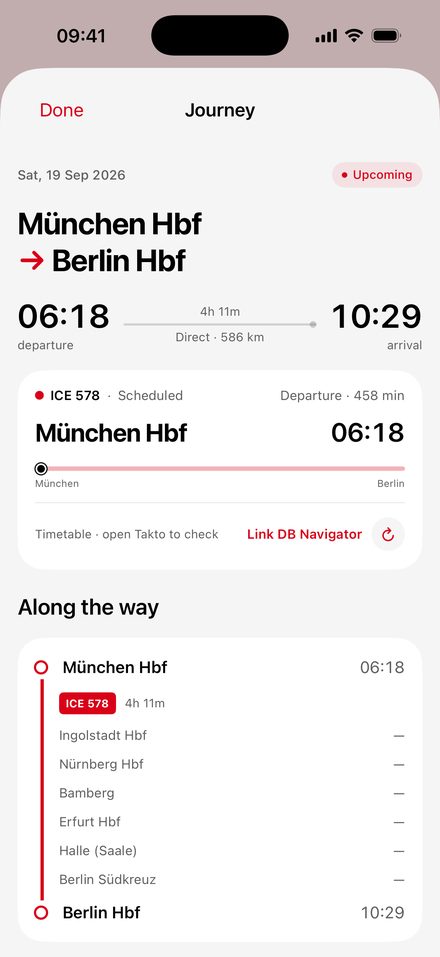
Journey details
Each trip with its trains, stops, changes and times. Add your fare and a note if you like.
-
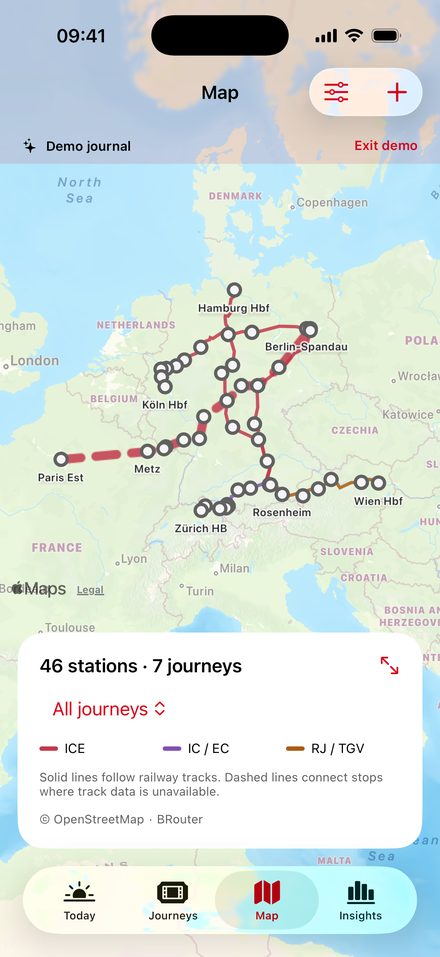
Railway map
Everywhere you’ve been by train, coloured by train type. Lines follow the tracks where track data exists.
-
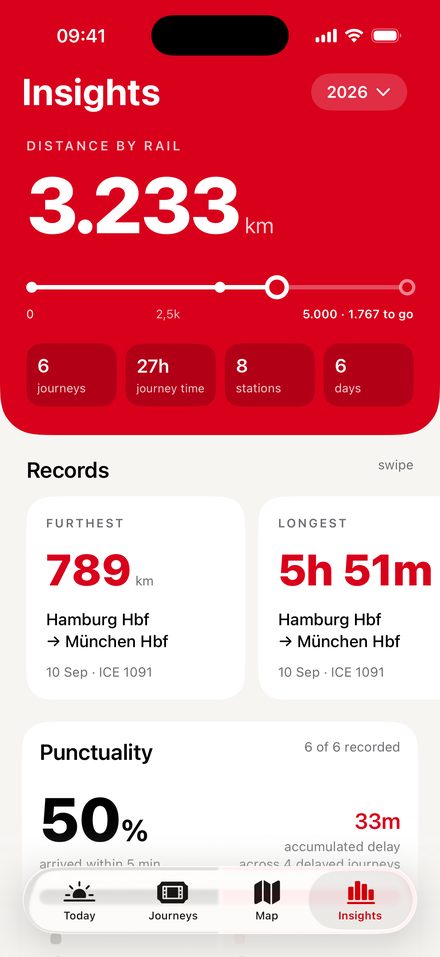
Insights
Distance, journey time, records and punctuality, by year or for all time.
What Takto does
Before, during and after the trip.
-
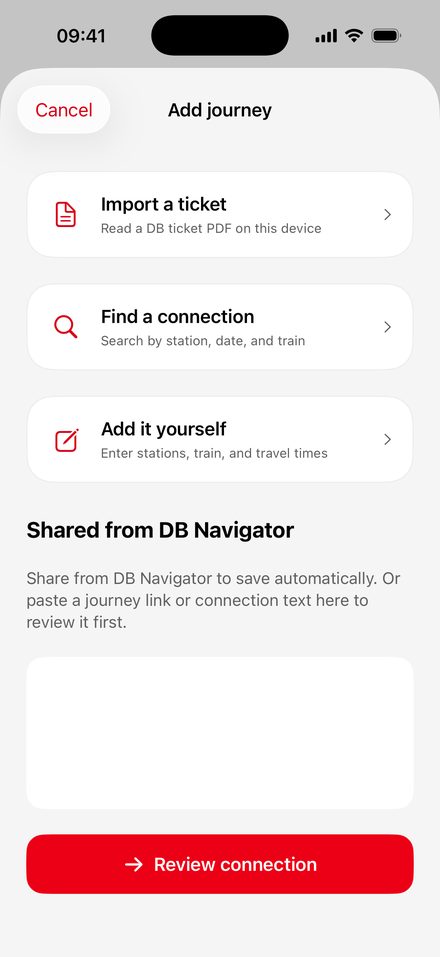
01 · Import
Share it from DB Navigator
Open a connection in DB Navigator, tap Share and choose Takto. The journey is saved with its trains, times and changes. Readable DB ticket PDFs work too, and anything else you can add by hand.
Takto is an independent app and is not affiliated with Deutsche Bahn.
-
02 · Companion
Your next stop, on the Lock Screen
On the day you travel, a Live Activity shows the next station, the platform and your connection on the Lock Screen and in the Dynamic Island.
Live details refresh while Takto is open. Automatic updates while the app is closed are still being prepared.
-
03 · Map
A map of where you’ve been
Your journeys follow railway lines instead of straight strokes between cities, coloured by train type: ICE red, IC and EC purple, Railjet and TGV orange.
Railway paths come from OpenStreetMap data and are approximate. Where no track data is available, stops are joined by a dashed line.
-
04 · Insights
Your travel in numbers
Kilometres by rail, scheduled journey time, your furthest and longest trips, the routes you take most and the delays you recorded.
Distances are estimates. Takto explains how each number is worked out.
Good to know
The fine print, up front.
- Availability
- Not on the App Store yet. Takto is still in development. There is nothing to download today.
- Independent
- Not part of Deutsche Bahn. Takto doesn’t sell tickets. For decisions about your trip, check your operator.
- Accuracy
- Paths and distances are approximate. Train details depend on what the import and the data services provide.
- Your data
- No account needed. Your journal lives on your iPhone. Cloud sync is optional. Read the privacy notes
Questions before it ships?
The support page covers importing, missing stops, Live Activities and your data.